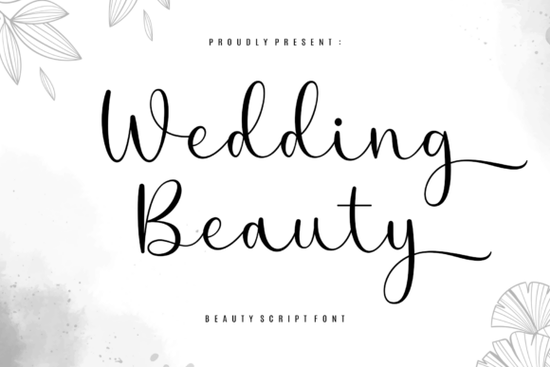
If you’ve ever designed a wedding invitation, luxury skincare label, or editorial layout and felt like something was missing that final touch of grace then the Wedding Beauty Font might be exactly what you’re looking for. It’s not flashy or trendy in a loud way. Instead, it leans into quiet elegance: long, flowing strokes, gentle curves, and just enough flourish to feel special without overwhelming your design.
This font works especially well when you want your text to feel intentional and refined. Think of it as the calligraphy version of slipping into silk pajamas it’s soft, luxurious, and effortlessly classy. Whether you’re crafting save-the-dates, branding a boutique candle line, or laying out a beauty blog header, Wedding Beauty adds that whisper of romance without needing extra embellishment.
What kinds of projects is this font best suited for?
You’ll get the most out of Wedding Beauty when your layout already has breathing room. It thrives in minimalist designs where white space lets each letter stretch out and shine. Here are a few places it really sings:
- Wedding stationery Invitations, menus, place cards, and thank-you notes all benefit from its romantic rhythm.
- Premium product packaging Skincare, perfume, candles, or small-batch chocolates? This font makes even simple labels feel elevated.
- Fashion and beauty editorials Magazine covers, blog headers, or social media quotes look instantly more polished.
- Branding for small creative businesses If your brand voice is calm, curated, and a little dreamy, this font fits right in.
It’s worth noting that Wedding Beauty isn’t meant for body text or tiny labels. Save it for headlines, logos, or short phrases where every character can be appreciated. Pair it with a clean sans-serif (like Montserrat or Lato) for contrast, and you’ve got a balanced, professional look.
Do I need special software to access all the fancy letters?
Nope. One of the nicest things about this font is how easy it is to use. All the alternates, swashes, and decorative glyphs are built right in using PUA (Private Use Area) encoding. That means whether you’re working in Canva, Adobe Illustrator, Affinity Designer, or even Microsoft Word, you can switch between letter variations without needing plugins or font managers.
Just open your glyph panel or character map, scroll through the options, and drop in the version of “S” or “Y” that feels right for your layout. It’s especially handy if you’re designing on the fly or handing files off to clients who might not have advanced design tools.
How does it compare to other script fonts I’ve used?
If you’ve tried fonts like Rose Cake or Honey Notes, you’ll notice Wedding Beauty sits somewhere between them in tone. It’s more formal than Honey Notes’ playful bounce but less ornate than Rose Cake’s dessert-inspired swirls. For something bolder and more modern, you might also consider Wildberry or Stylish Handwriting. And if you love mystery and hidden details, The Secret offers its own kind of charm.
Wedding Beauty doesn’t try to be everything. It’s focused. Deliberate. A font that knows its purpose and sticks to it.
Can I use this for commercial projects?
Yes. When you download Wedding Beauty from Creative Fabrica, you get a commercial license. That means you can use it on client work, print-on-demand products, Etsy shops, or your own branded goods without worrying about extra fees or restrictions. Just make sure you’re downloading it directly from their site so the license is valid.
Any tips for getting the most out of this font?
- Less is more. Don’t overcrowd your layout. Let the flourishes breathe.
- Play with tracking. Sometimes loosening the letter spacing by just a few points makes the whole word feel lighter and more elegant.
- Use sparingly. One headline in Wedding Beauty can elevate an entire page. You don’t need to use it everywhere.
- Test readability. Especially at smaller sizes or on textured backgrounds, some flourishes might get lost. Always preview before printing or publishing.
And if you’re pairing it with photos or illustrations, stick to soft, muted tones or crisp black-and-white. Busy patterns or neon colors will fight with the font’s delicate energy.
Quick checklist before you start:
- ✅ Is your layout clean and uncluttered?
- ✅ Are you using it for headlines or short phrases (not paragraphs)?
- ✅ Did you check the glyph panel for alternate characters?
- ✅ Did you pair it with a simple sans-serif for balance?
- ✅ Did you test it at the final output size?
Start with one project a single invitation, a product label, a social graphic and see how it feels. You might be surprised how much personality a well-chosen script can add without saying a word.
Download Now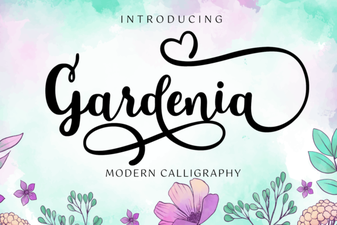 Gardenia Font: Elegant Designs for Your Projects
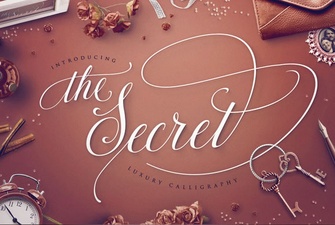 The Secret Font: a Creative Guide for Design Projects
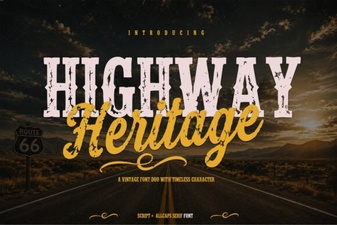 Designing Roads with Highway Heritage Font
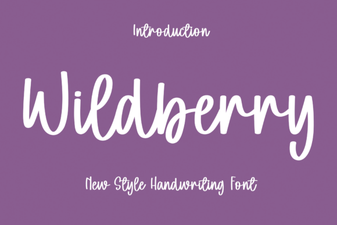 Wildberry Font: Creative Projects & Design Ideas
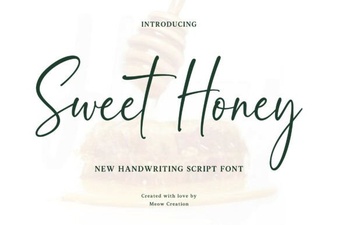 Sweet Honey Font: Creative Design Ideas
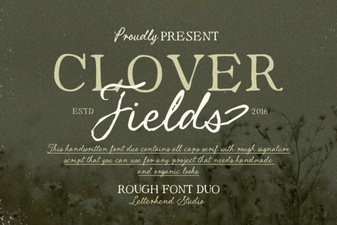 Clover Fields Font: Creative Design Ideas