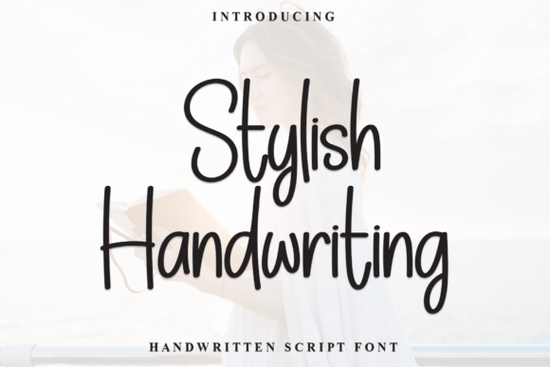
If you’ve been searching for a handwritten font that feels personal but still polished, the Stylish Handwriting Font might be exactly what your next project needs. It’s not overly ornate or stiff just smooth, natural strokes that look like they came straight from a well-loved journal. Whether you’re designing greeting cards, branding materials, or print-on-demand products, this script brings warmth without sacrificing readability.
What makes it especially useful is how effortlessly it adapts. The tall, slightly narrow letterforms give it structure, while the flowing connections between characters keep things relaxed. You don’t have to choose between “fun” and “professional” it sits comfortably in between. And because it’s PUA-encoded, you get full access to all the swashes, alternates, and ligatures without needing special software tricks. Just open your design tool, pick the glyph panel, and start customizing.
Who actually benefits from using this kind of font?
If you run a small business selling handmade goods or digital downloads, fonts like this help your packaging and social graphics feel more human. Crafters love it for vinyl cutting projects, planners, and scrapbook layouts. Print-on-demand sellers use it on mugs, tote bags, and apparel because it photographs well and scales cleanly. Even bloggers and content creators find it handy for Pinterest pins or quote graphics that need to stand out without screaming for attention.
You might also consider pairing it with other script fonts depending on your theme. For something floral and romantic, try Gardenia. If you’re working on wedding invites or anniversary designs, the wedding collection has some beautiful companions. And if you want contrast say, a bold headline with delicate body text check out Rose Cake or Clover Fields for layered typography that doesn’t clash.
How do I know if this will work with my design tools?
Good news: Stylish Handwriting works in most major programs Adobe Illustrator, Photoshop, Canva, Procreate, Silhouette Studio, and Cricut Design Space. Since it’s installed as a standard OTF or TTF file (depending on your download), there’s no learning curve. Just install, select, and start typing. The PUA encoding means even complex alternates show up reliably across platforms, which isn’t always the case with decorative scripts.
One thing to note: while it looks great at medium to large sizes, avoid shrinking it too much for fine print. Like most script fonts, tiny text can lose its charm and become hard to read. Stick to headlines, logos, pull quotes, or accent text where legibility matters less than personality.
Can I really customize every letter?
Yes and that’s where this font shines. Most basic handwriting fonts give you one style per character. Stylish Handwriting includes multiple versions of many letters, plus beginning and ending swashes, underlines, and connecting flourishes. In apps that support OpenType features (like Illustrator or Affinity Designer), these appear automatically as contextual alternates. In simpler tools like Canva, you’ll manually pick them from the glyph menu still easy, just a few extra clicks.
This level of control lets you tweak words until they feel just right. Maybe you want an extra swirl on the last letter of a name, or a softer tail on a lowercase “y.” You’re not stuck with default shapes. That flexibility is why so many designers prefer it over free alternatives you get uniqueness without having to draw everything by hand.
For reference, you can see how others are using it in real projects via Stylish Handwriting on Creative Fabrica. Customer uploads often include mockups, tutorials, and unexpected uses like embroidery digitizing or chalkboard signs that might spark new ideas for your own work.
Is this worth buying if I already own other script fonts?
Depends on what’s missing from your current toolkit. If your collection leans heavily ornate (think calligraphy with heavy ink contrast) or ultra-casual (doodle-style scribbles), this fills the middle ground. It’s clean enough for commercial use but still carries emotion. Think of it as the font equivalent of a perfectly broken-in leather journal familiar, comfortable, but never sloppy.
Also worth noting: it pairs beautifully with sans-serifs. Try setting body text in Montserrat or Lato, then letting Stylish Handwriting handle titles or accents. The contrast creates hierarchy without visual noise. And if you ever bundle fonts for resale or client projects, this one plays nicely with others no licensing headaches, no clashing weights or x-heights.
Looking for more variety? The handwritten bundle includes this plus several others at a discount, which is smart if you design across different moods or seasons.
Quick checklist before you start:
- Install both OTF and TTF test which works better in your main app.
- Open the glyph panel early don’t miss the swashes and alternates hiding inside.
- Avoid tiny sizes keep it above 18pt for best results.
- Pair with a simple sans-serif lets the script breathe without competing.
- Save your favorite combos once you find a winning letter + swash combo, reuse it.
Start small maybe a quote graphic or product label and see how naturally it fits into your workflow. Sometimes the most useful tools aren’t the flashiest; they’re the ones that disappear into the background and just work.
Learn More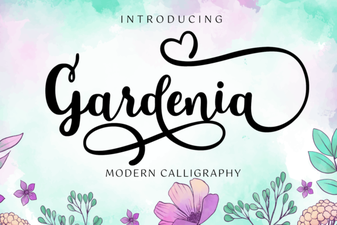 Gardenia Font: Elegant Designs for Your Projects
 The Secret Font: a Creative Guide for Design Projects
 Designing Roads with Highway Heritage Font
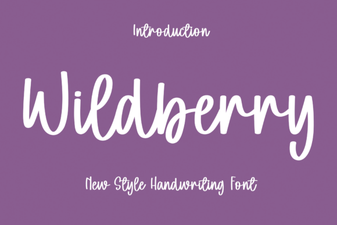 Wildberry Font: Creative Projects & Design Ideas
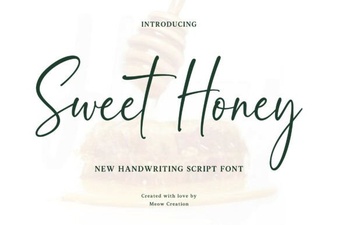 Sweet Honey Font: Creative Design Ideas
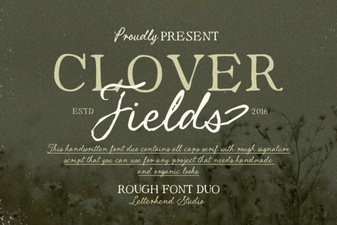 Clover Fields Font: Creative Design Ideas